✦ WHATSAPP CAMPAIGNS

WhatsApp Campaigns, Tracked From Send to Read

Run approved template campaigns on WhatsApp and follow every message from sent to delivered, read and clicked — all from the same real-time dashboard you use for email, SMS and RCS.

Real-TimeDelivery, read & click tracking
ApprovedText & image templates
Bot-ReadyAutomated WhatsApp conversations
🔒 app.plumb5.com/whatsapp/dashboard
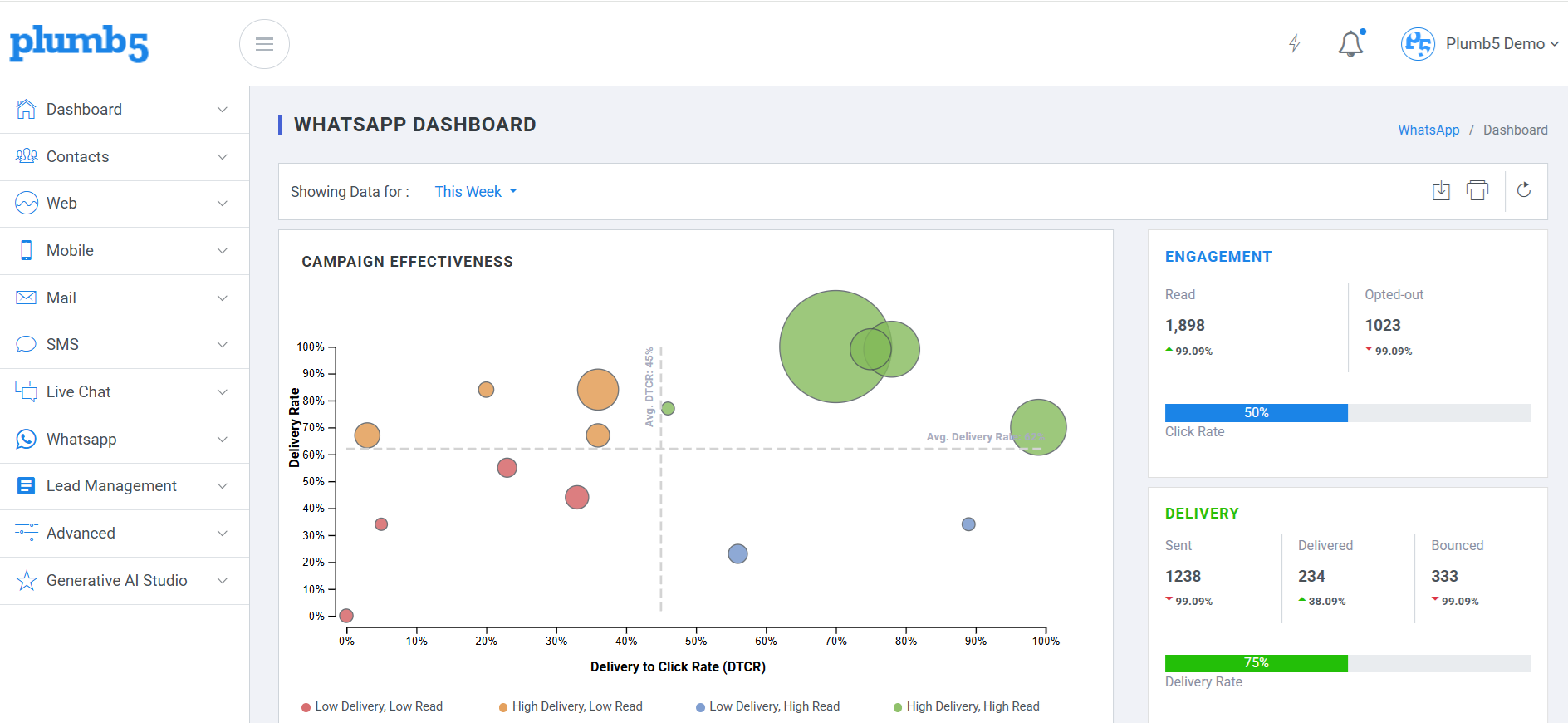
Plumb5 WhatsApp dashboard showing campaign effectiveness, engagement, delivery and bounced vs rejected breakdown
CAMPAIGN EFFECTIVENESS

See Exactly Which Campaigns Land

The WhatsApp dashboard plots every campaign on delivery rate against delivery-to-click rate, so you can spot High Delivery, High Read campaigns at a glance — and catch the Low Delivery, Low Read ones before they drag down your sender reputation. Engagement, delivery and bounce numbers update in real time underneath.

1Plot campaigns by delivery rate vs. delivery-to-click rate to instantly see what's working
2Track reads, opt-outs and click rate for the week — or any period — in one panel
3Monitor sent, delivered and bounced volumes alongside overall delivery rate
4Break down bounced vs. rejected messages to fix deliverability issues at the source
Plumb5 WhatsApp campaign effectiveness chart plotting delivery rate against delivery-to-click rate
APPROVED TEMPLATES

Build, Submit and Reuse Approved WhatsApp Templates

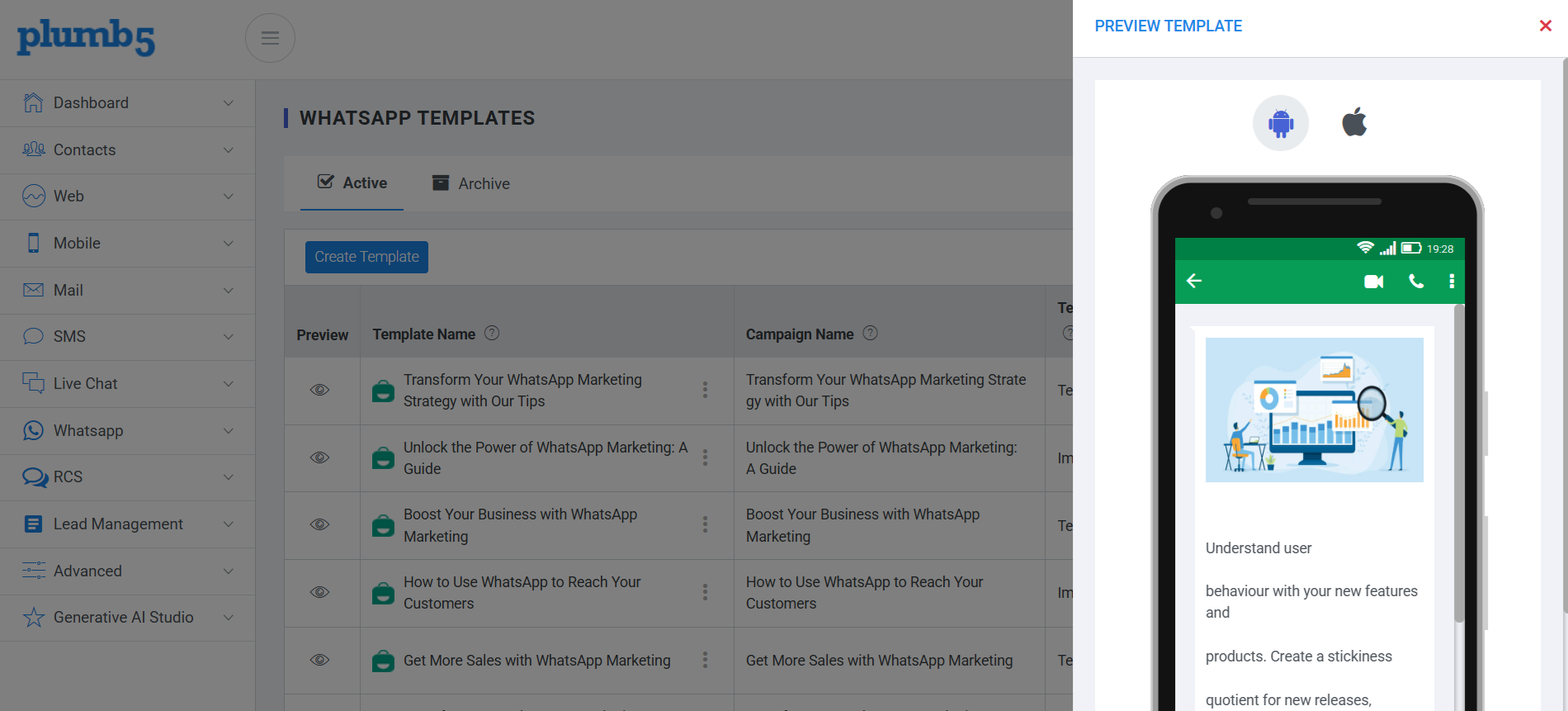
Create text or image templates from the Templates screen, submit them for approval, and track their status without leaving the platform. Active templates stay ready to reuse across campaigns, and anything retired moves to Archive rather than disappearing.

1Create a new template in one click and search existing campaigns or templates instantly
2See template type — Text or Image — and creation date at a glance
3Track approval status per template, and resubmit directly from the table
Plumb5 WhatsApp Templates screen showing active templates, template type, created date and approval status
CAMPAIGN RESPONSES

Every Message, Accounted For

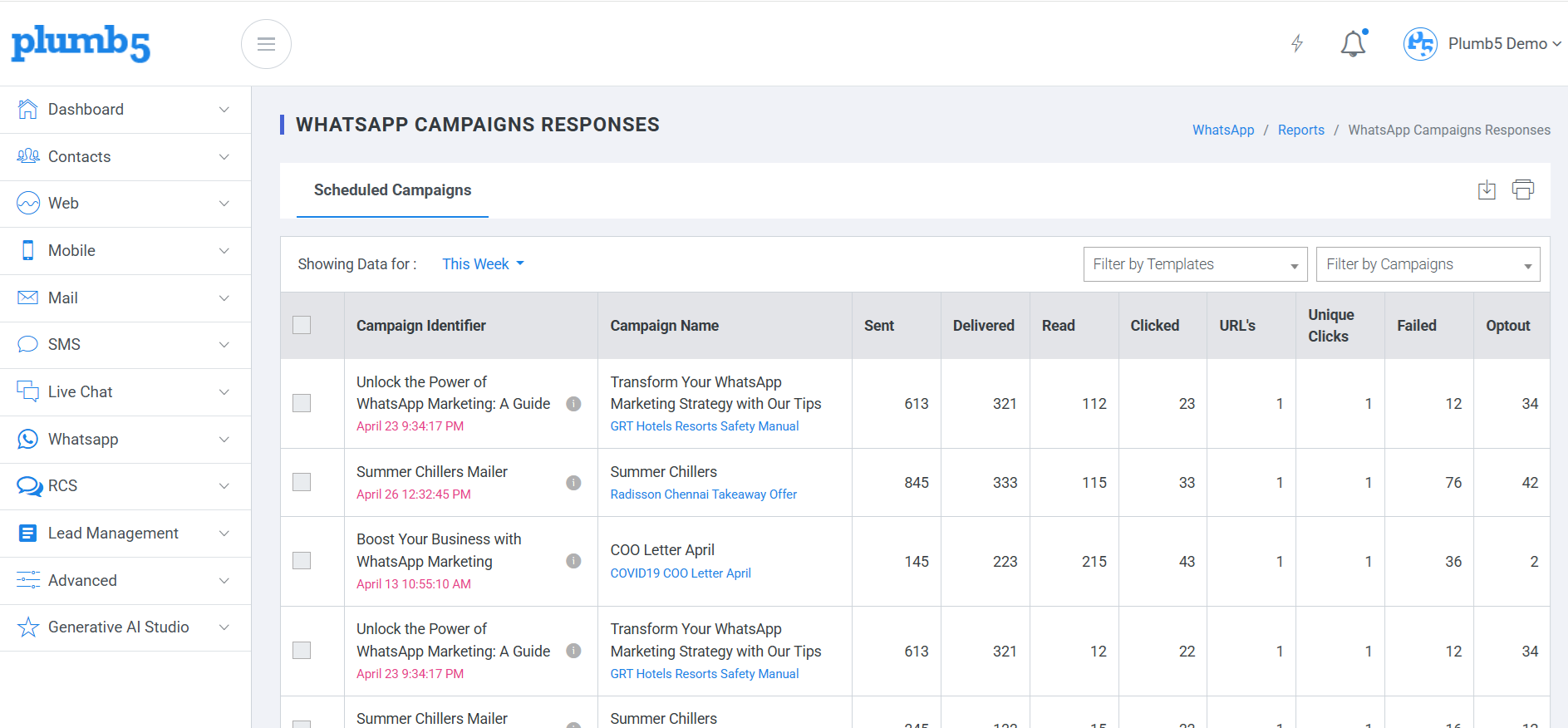
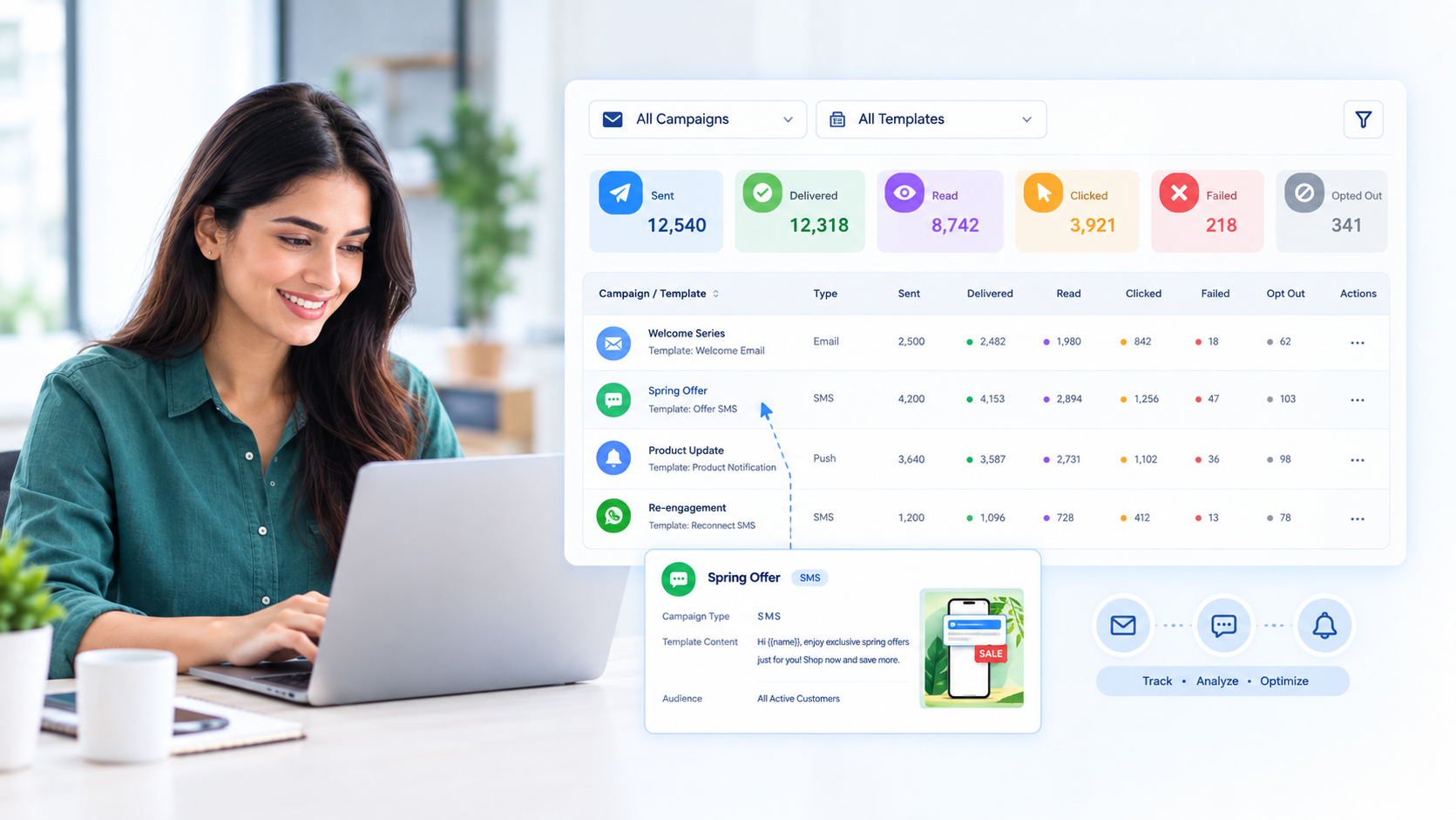
Drill into any scheduled campaign to see sent, delivered, read, clicked, failed and opted-out counts side by side, filterable by template or campaign. Hover any row for the full campaign type, template content and audience it was sent to — without opening a separate report.

1Filter scheduled campaign responses by template or by campaign
2Compare sent, delivered, read, clicked, failed and opt-out counts per campaign
3Preview campaign type, template content and the group a message was sent to inline
Plumb5 WhatsApp Campaigns Responses table with sent, delivered, read, clicked, failed and optout counts per campaign
WHATSAPP BOT

Answer Customers on WhatsApp, Without a Human on Every Chat

Pair your campaigns with a WhatsApp bot that answers the routine questions, qualifies leads, and hands the conversation to a person the moment it needs one — all from the same chat flow builder you use for Live Chat.

Rule-Based Flows

Build a structured, predictable WhatsApp conversation for FAQs, order status and common requests.

AI Mode

Switch on AI Mode to answer WhatsApp conversations directly from your own knowledge base.

Human Handoff

Hand off to Live Chat with the full WhatsApp conversation history intact, the moment a chat needs a person.

Ready to run WhatsApp campaigns your way?

See templates, delivery tracking and a WhatsApp bot working together on your own account.